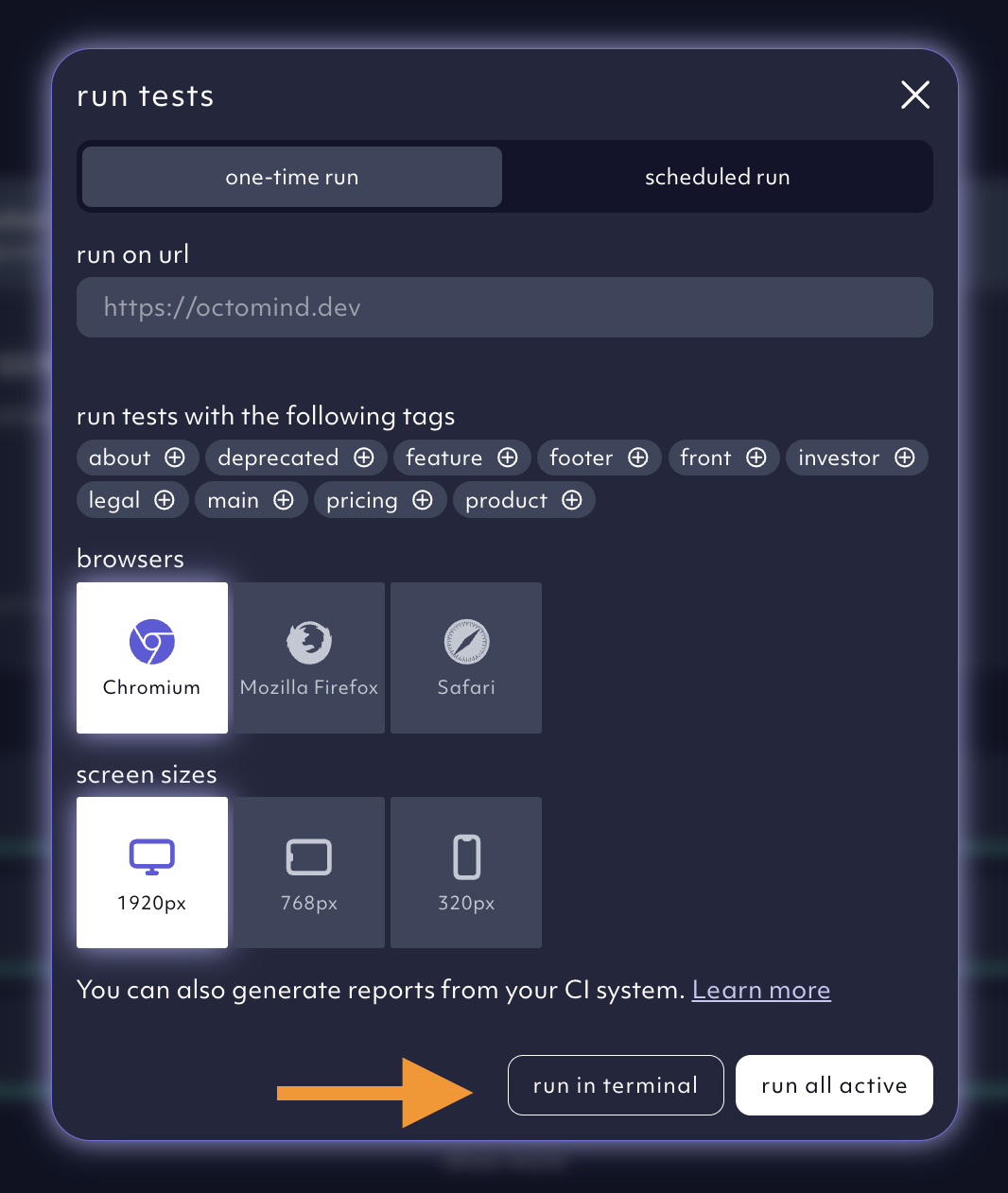
If you need to trigger test execution from outside our app, you can do it with a cURL command. You can retrieve it conveniently with prefilled parameters from within the app by click onDocumentation Index
Fetch the complete documentation index at: https://octomind.dev/docs/llms.txt
Use this file to discover all available pages before exploring further.
run in the test report section.
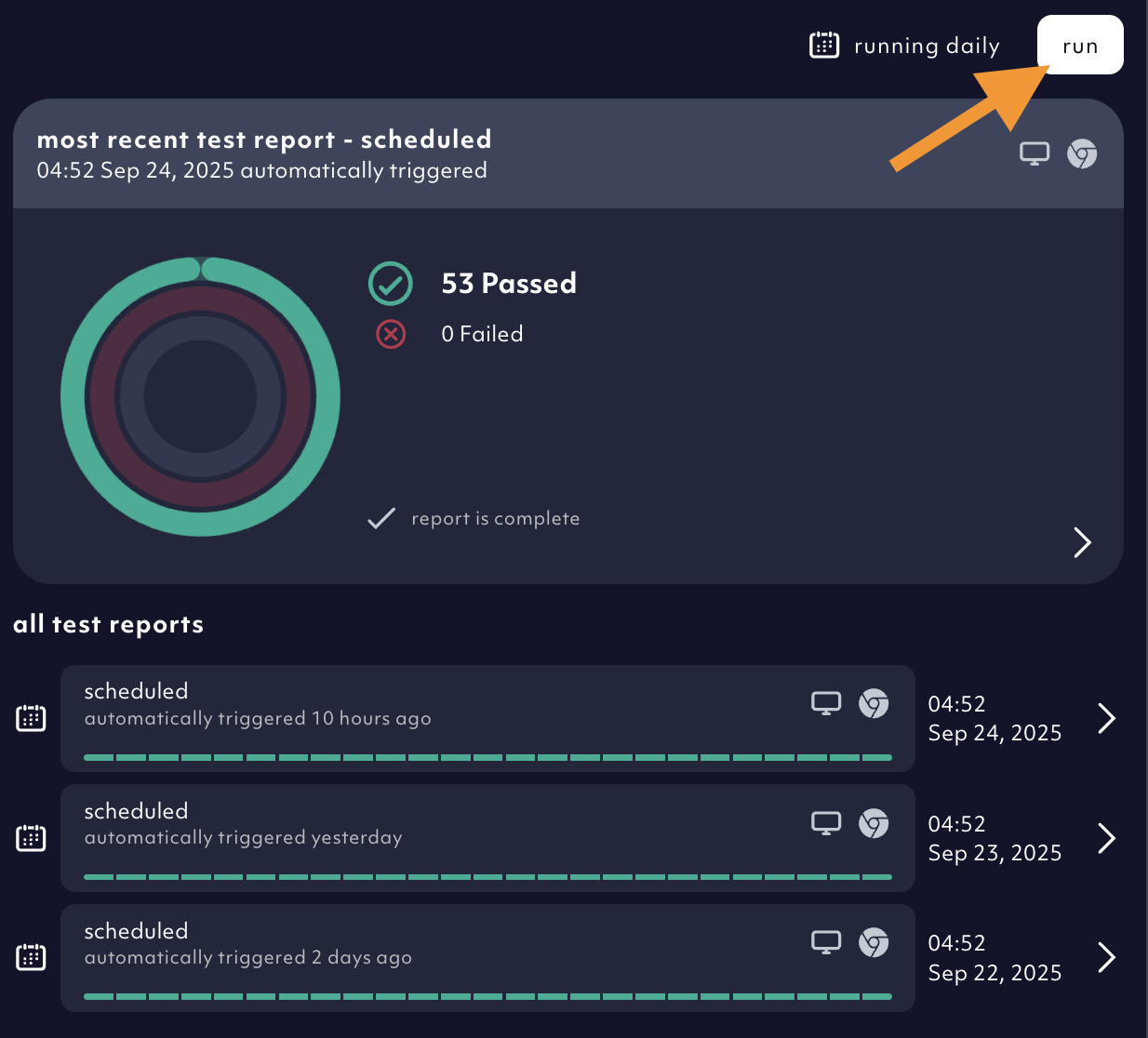
one-time run tab, you’ll find the run in terminal button. Click on it.
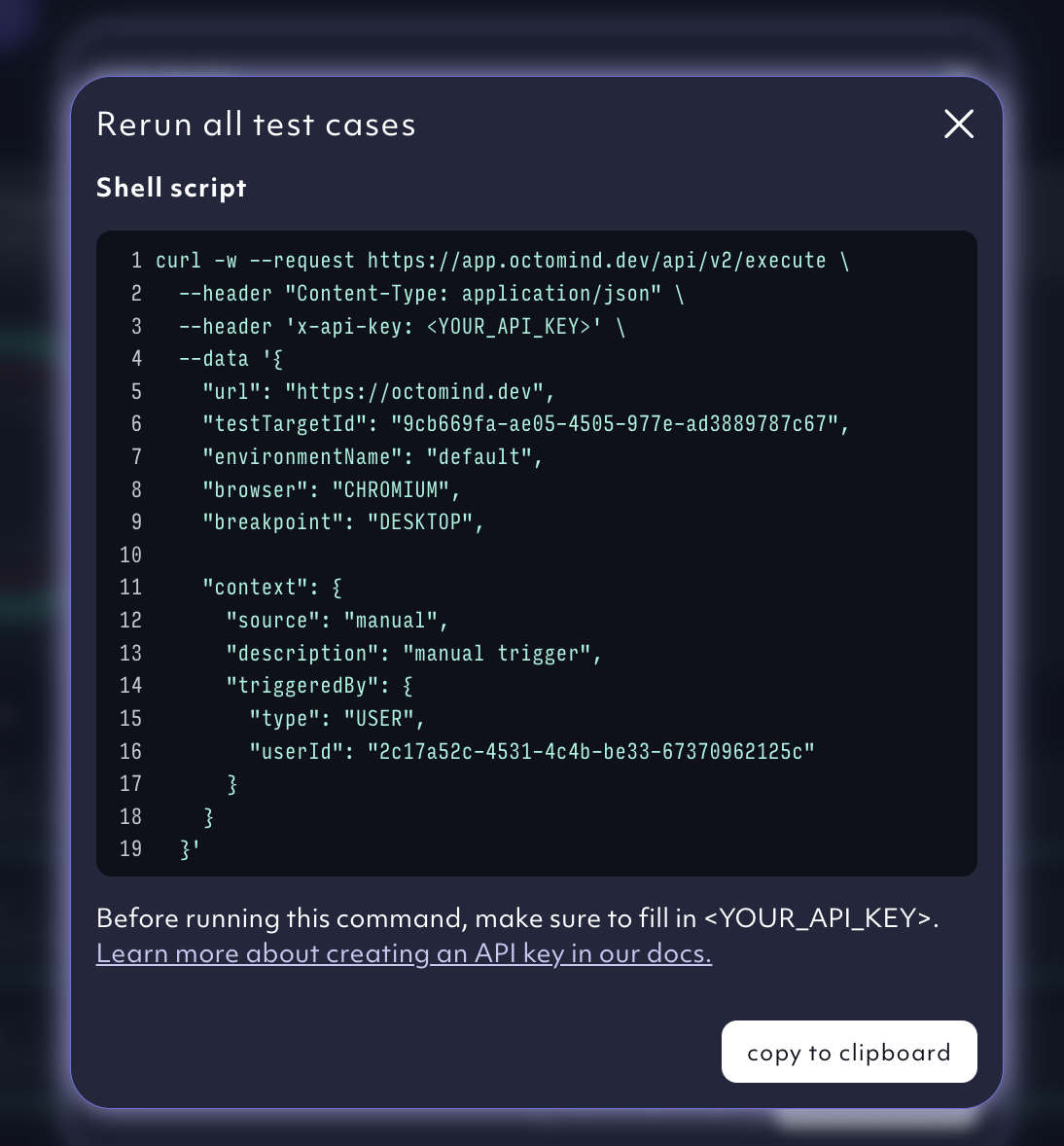
Parameters
See API ReferenceBlocking your pipeline
You can block your pipeline by polling the resulting test-report until the status is “PASSED” with a call to the test report API - see our API Reference. See the API Reference or a reference implementation in our Github ActionCreate an API key
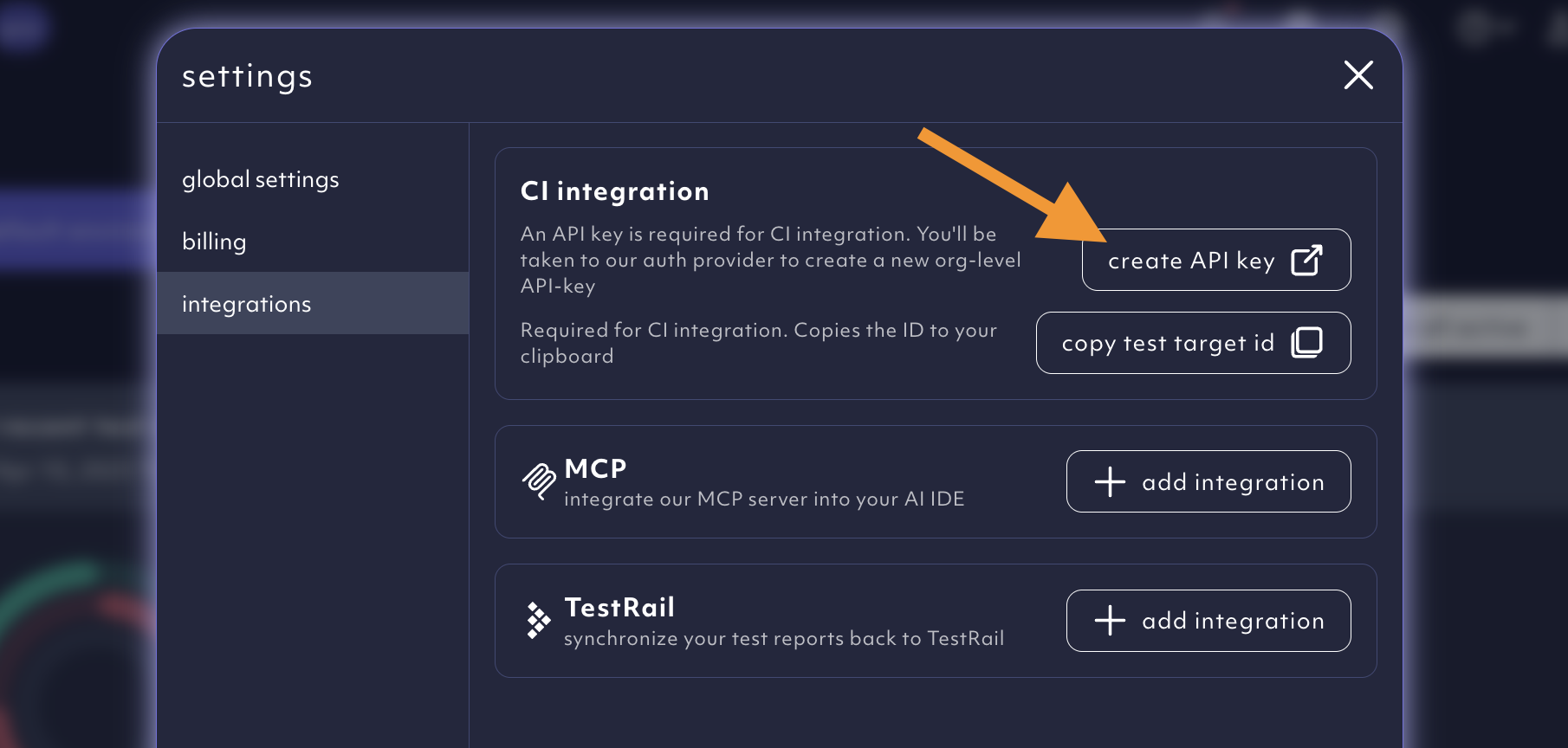
The option to create your API key can be found within the settings menu.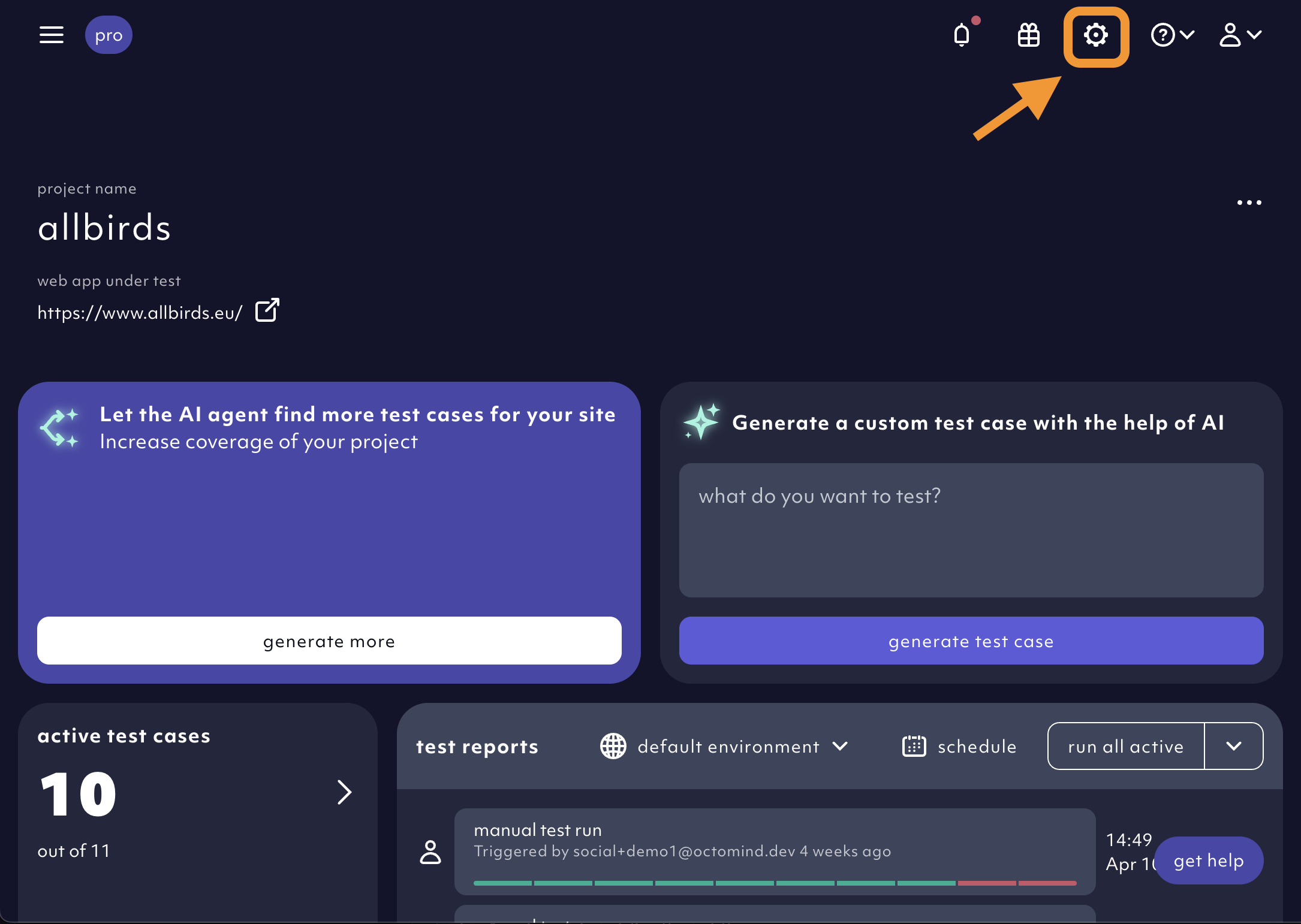
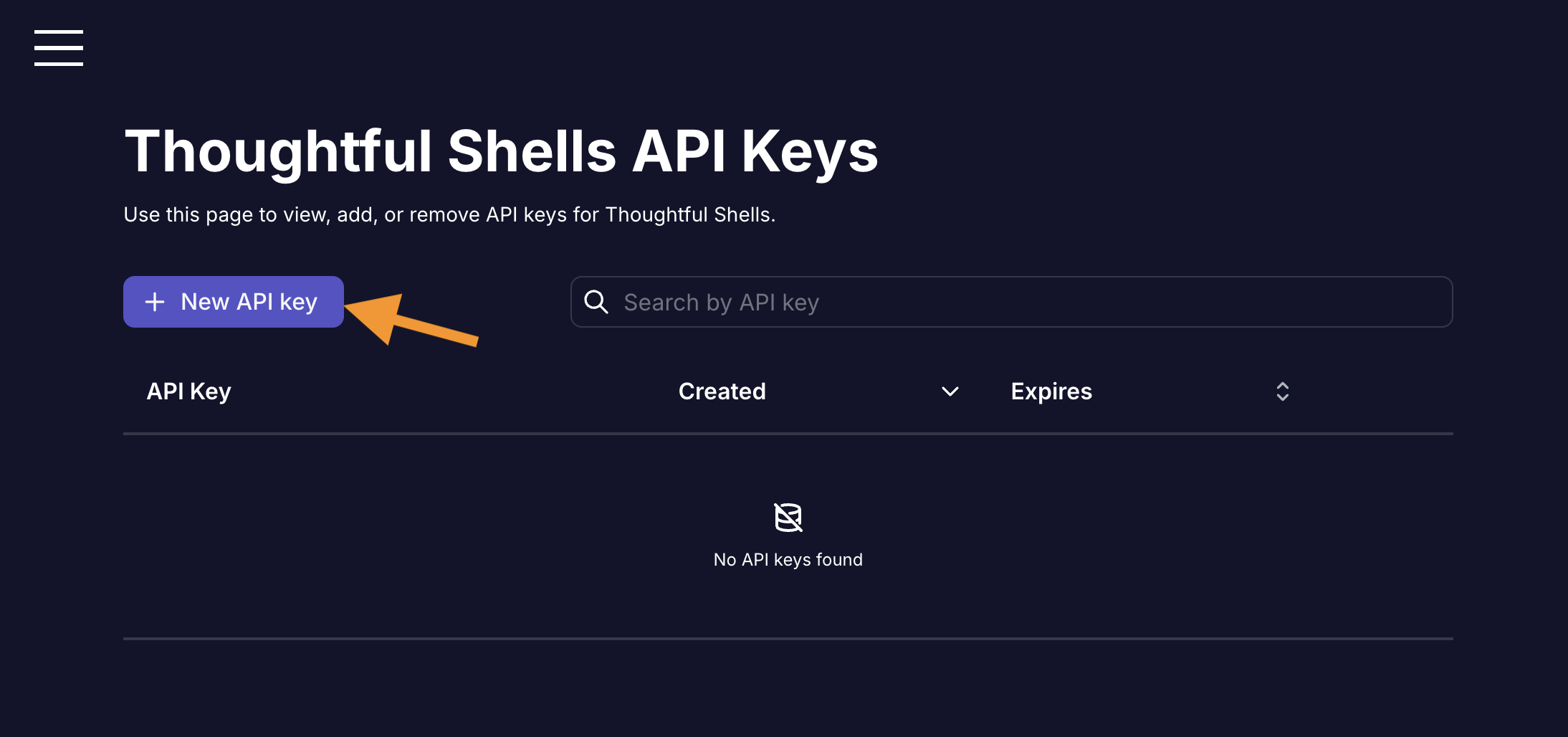
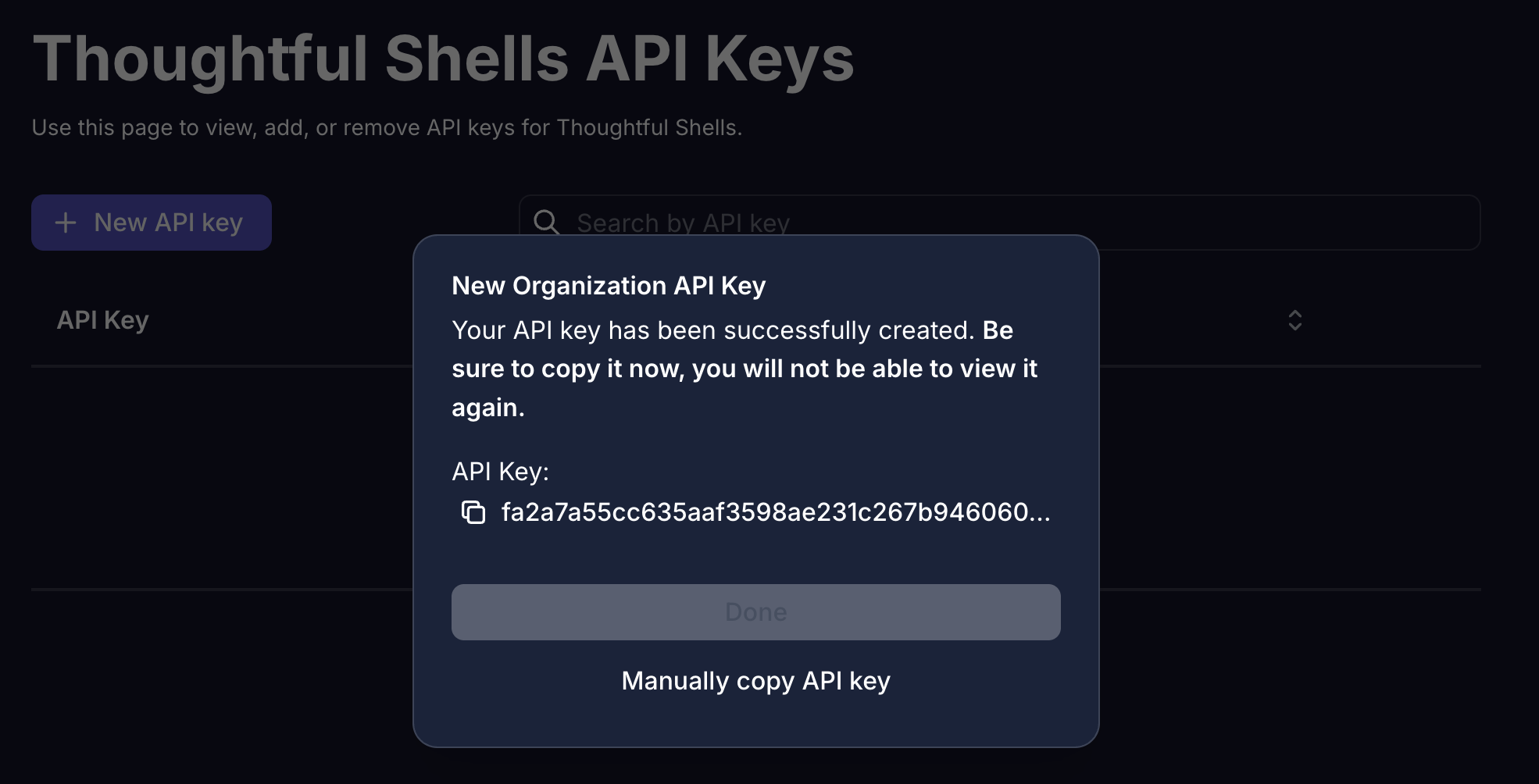
Create an API key.